27-08-2026
AI Engine for board papers: get more from your documents
We’re excited to announce that AI Engine is now available in the document reader, giving you a new way to get more from your board papers directly in TeamEngine.
You can now ask questions about your board papers, find information quickly, get a summary or explore a topic in more detail, directly in the document you’re reading.
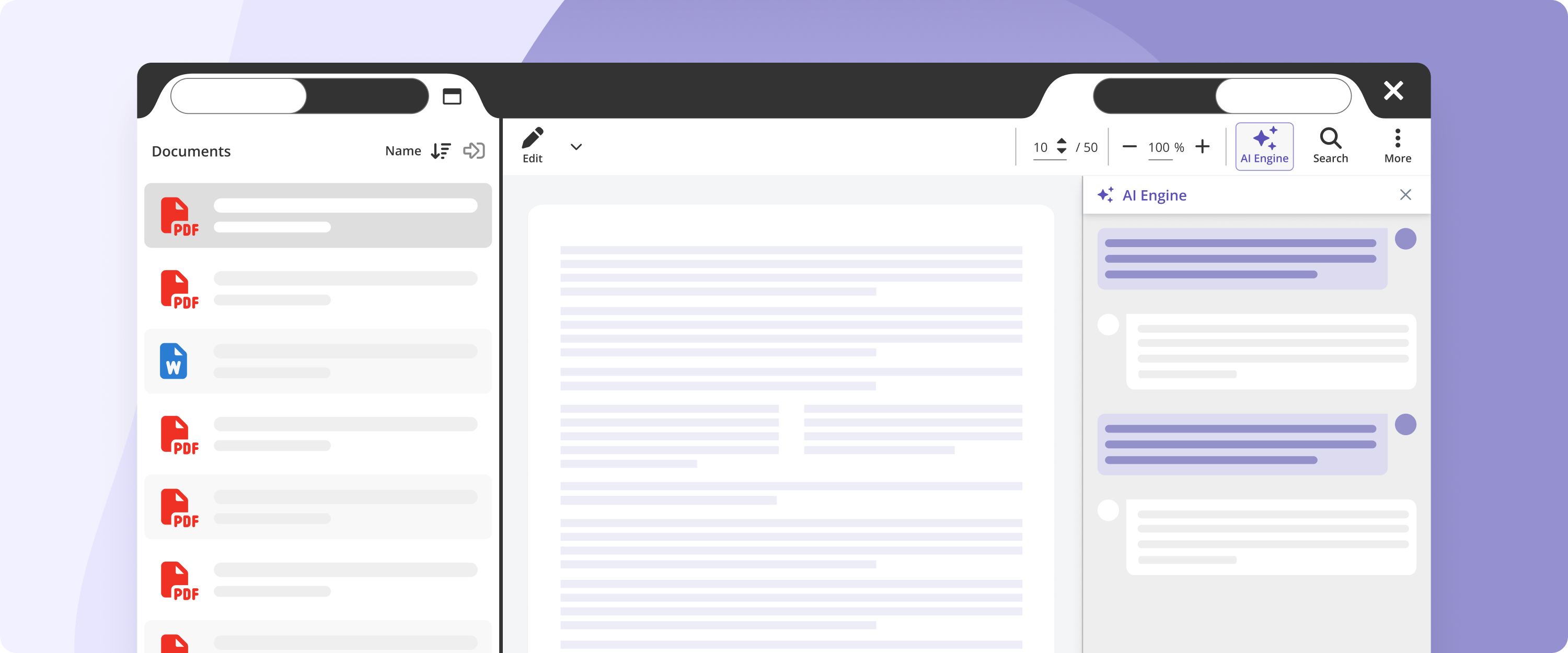
A faster way into your board papers
A board paper can run to a hundred pages or more, and the time to read it never feels long enough. AI Engine gives you a faster way in, helping you get to the information that matters without having to search through every page.
You could ask:
- What are the key decisions for the board?
- What are our main priorities this quarter?
- What was our churn in 2026?
- What are the main risks in the paper?
- Can you summarise this section?
Get a quick overview so you can decide where to spend your attention. Find a figure without hunting through the paper. Ask for an explanation when something isn’t clear. Or explore a topic with follow-up questions until you have what you need.
The answers are based on the document you’re reading, not the open internet, so you can work with your own board material without moving it to another AI tool.
Come to the meeting better prepared
AI Engine can help you get through the paper before the meeting, so you can spend less time looking for information and more time thinking about what it means.
Get up to speed on the key points, understand the detail behind a decision, or quickly check a figure you want to discuss. Instead of reading every page with the same level of attention, you can use AI to help you focus on what matters.
How it works
AI Engine appears in a side panel alongside the document you’re reading. Ask a question about your board paper and get an answer without leaving the document.
No need to switch tools or copy your board papers elsewhere. Keep reading, asking questions and exploring the information in your paper.
Your board information stays secure
Board papers contain sensitive information, so security is an important part of how AI Engine works.
Your data is stored in Sweden, in data centres certified to ISO 27001, ISO 9001 and ISO 14001, and never leaves Europe. AI processing also takes place within the EU.
Want to try it?
For users
AI Engine needs to be enabled for your portal. If you don’t see it in the document reader, ask your portal administrator to turn it on.
For portal administrators
To enable AI:
- Go to Admin > Actions > Portal settings
- Open the new AI tab
- Review and accept the terms
- Switch on AI
Once it’s enabled, users in your portal can start using AI Engine.
Start a free trial before your next board meeting to spend less time searching, and more time focusing on what matters.